

ExactFlow Onboarding Page User Guide
The Onboarding page in ExactFlow helps HR teams manage new hires who are ready to join the company. From this page, authorized users can view candidates waiting for onboarding and track employees who have already completed the onboarding process.
How to Open the Onboarding Page
Log in to your ExactFlow account.
From the left sidebar, click HR Agent.
Click Onboarding.
You will now see the Onboarding dashboard.
Page Overview
The Onboarding page is divided into two main sections:
-
Pending Onboardings
-
Onboarded Employees
These sections help you clearly see who still needs onboarding and who has already joined.
Pending Onboardings Section
This section appears at the top of the page.
Candidates who have been selected and are ready for onboarding
Candidates who have not yet been fully added as employees
If there is at least one pending candidate, you will see the number in brackets.
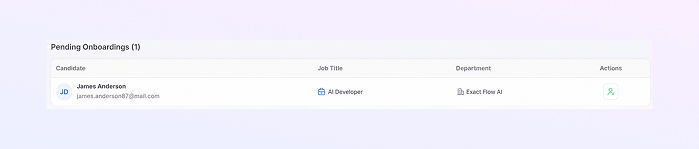
Pending Onboardings Table
-
Candidate
Shows the candidate’s name and email address
A small circle with initials helps quickly identify the person
-
Job Title
Displays the role offered to the candidate
Example: AI Developer
-
Department
Shows the department the candidate will join
Example: Marketing
-
Actions
A user-plus icon appears in this column
Click this button to start the onboarding process
This confirms who is waiting to be onboarded.
This ensures the correct position is assigned.
This helps place the employee in the right team.
This action usually moves the candidate into the employee system.
Onboarded Employees Section
This section appears below the pending onboardings.
Employees who have completed onboarding
Staff members who are now officially part of the company
Empty State Message
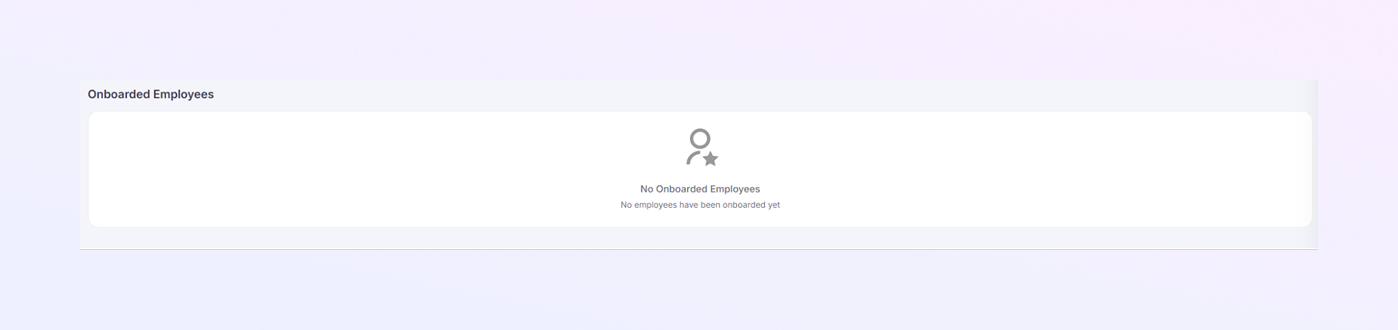
If no employees have been onboarded yet, you will see:
An icon in the center
The message: “No Onboarded Employees.”
A note saying no employees have been onboarded yet
This simply means onboarding has not been completed for anyone yet.
How Onboarding Usually Works
-
A candidate is hired through the recruitment process.
-
The candidate appears in Pending Onboardings.
-
An authorized user clicks the onboard action.
-
The candidate is added as an employee.
-
The employee then appears under Onboarded Employees.
This keeps hiring and onboarding organized and clear.
Summary
With the ExactFlow Onboarding page, authorized users can:
View candidates waiting for onboarding
Start onboarding with one click
Track onboarded employees
Keep hiring records organized
Maintain secure access control
This page makes the transition from candidate to employee a simple, structured, and stress-free process.