

ExactFlow Performance Management Page User Guide
The Performance Management feature in ExactFlow helps HR teams review employee performance in an organized and fair way. You can create performance reviews, rate employees on different skills, write feedback, and track improvement areas, all from one place.
How to Open the Performance Management Page
Log in to your ExactFlow account.
From the left sidebar, click HR Agent.
From the HR Agent menu, select Performance Management.
You will now land on the Performance Management dashboard.
Performance Management Dashboard Overview
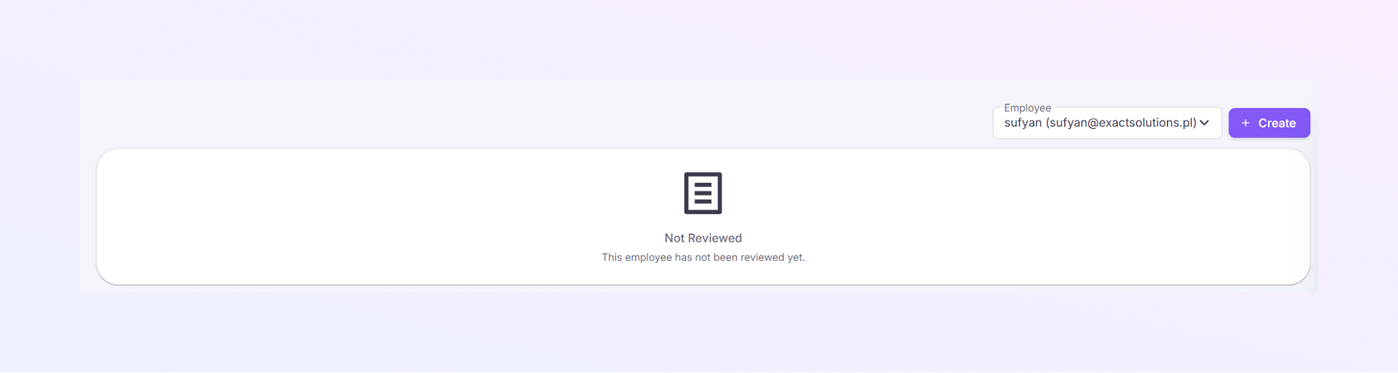
When you open this page, you will see a list of employees who already have performance reviews. If no review exists for the selected employee, the page will appear empty and display the message:
“This employee has not been reviewed yet.”
This means that a performance review has not been created for this employee. To begin evaluating their performance, you need to create a new review.
Employee Selection
At the top-right corner, you will see an Employee dropdown.
Allows you to select which employee you want to review.
You can switch between employees using this dropdown.
Always make sure the correct employee is selected before creating or editing a review.
Create Performance Review Button
Next to the employee dropdown, you will see a “+ Create” button.
When you click it:
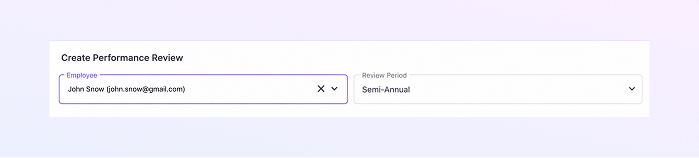
A Create Performance Review form opens.
This is where you enter ratings, comments, and feedback.
Click this button to begin a new performance review.
Performance Review Page
After clicking Create, you will see a detailed review form.
This form is divided into clear sections, making it easy to complete step by step.
Review Period Selection
At the top of the form, you will see:
Review Period dropdown Example:
Quarterly
Semi-Annual
Annual
Select the period for which you are reviewing the employee.
This helps HR track performance over time.
KPI Rating Categories
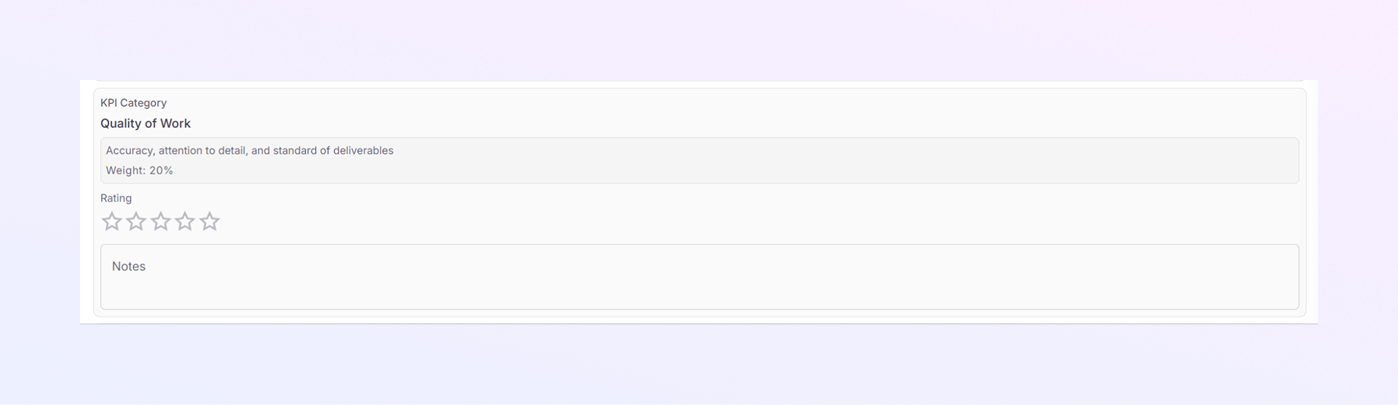
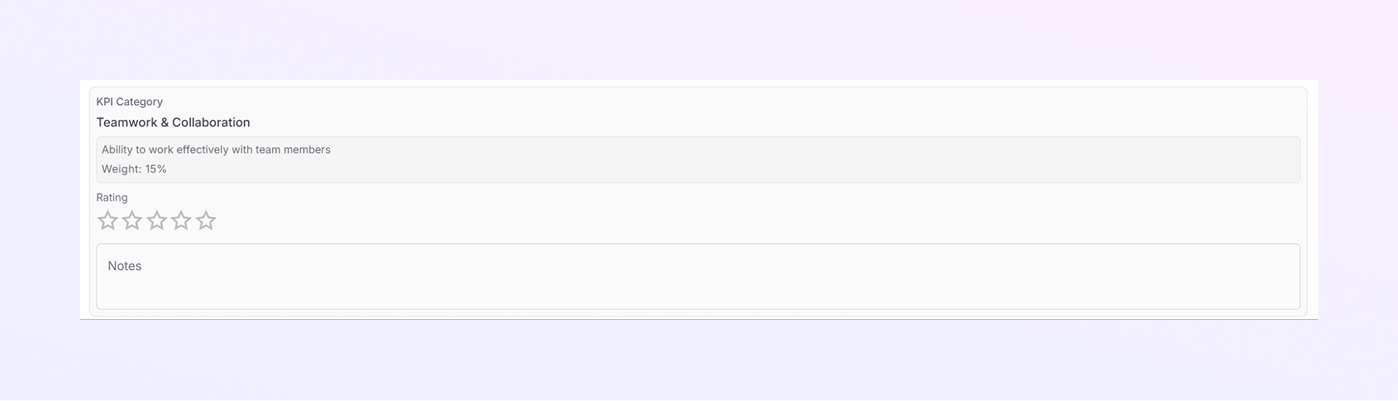
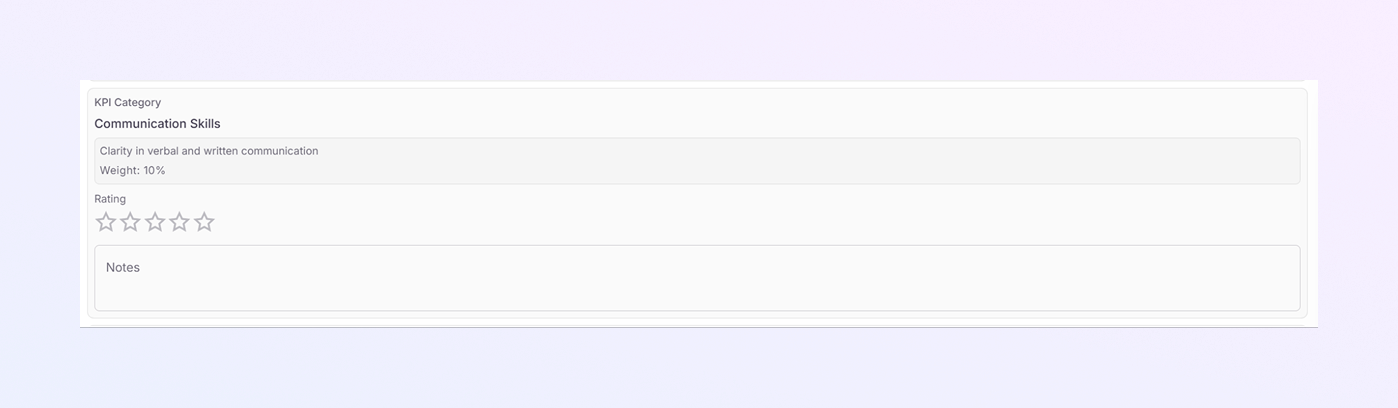
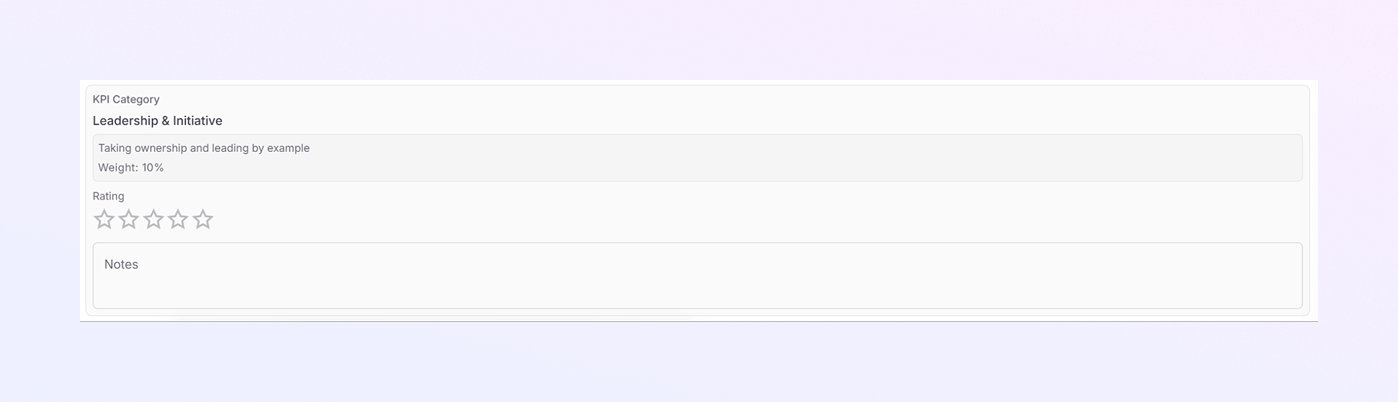
The performance review is based on multiple skill areas. Each category includes:
A short description
A star rating system
A notes field
You can rate the employee by clicking on the stars.
Rating guide:
⭐⭐⭐⭐⭐: Excellent
⭐⭐⭐: Good/Average
⭐: Low
Use the Notes field to explain your rating.
-
Productivity & Efficiency
This looks at:
Meeting deadlines
Task prioritization
Efficient use of time
-
Quality of Work
This checks:
Accuracy of work
Attention to detail
Overall output quality
You should consider:
Errors
Consistency
Work standards
-
Teamwork & Collaboration
This evaluates:
How well the employee works with others
Cooperation with team members
Respectful behavior
Higher ratings mean:
Strong communication
Positive teamwork
-
Communication Skills
This measures:
Verbal communication
Written communication
Clarity when explaining tasks or ideas
Rate higher if the employee:
Communicates clearly
Listens actively
Responds professionally
-
Leadership & Initiative
This looks at:
Taking ownership of tasks and responsibilities
Leading by example in daily work
Showing initiative without being asked
Supporting and guiding team members when needed
-
Innovation & Problem Solving
This category evaluates:
Ability to handle challenges
Logical thinking
Decision-making skills
-
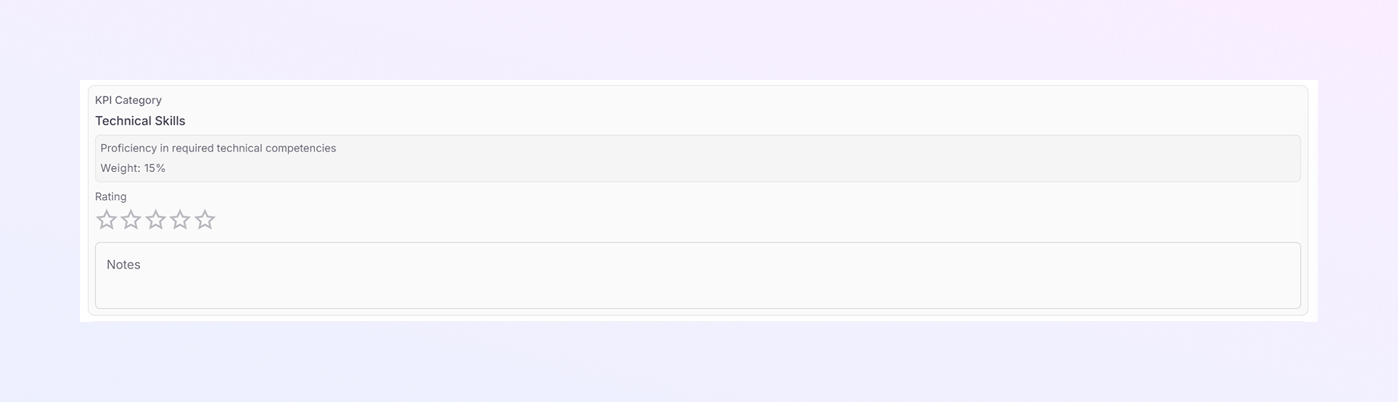
Technical Skills
This measures:
Job-related technical knowledge
Use of tools or systems
Learning new skills
-
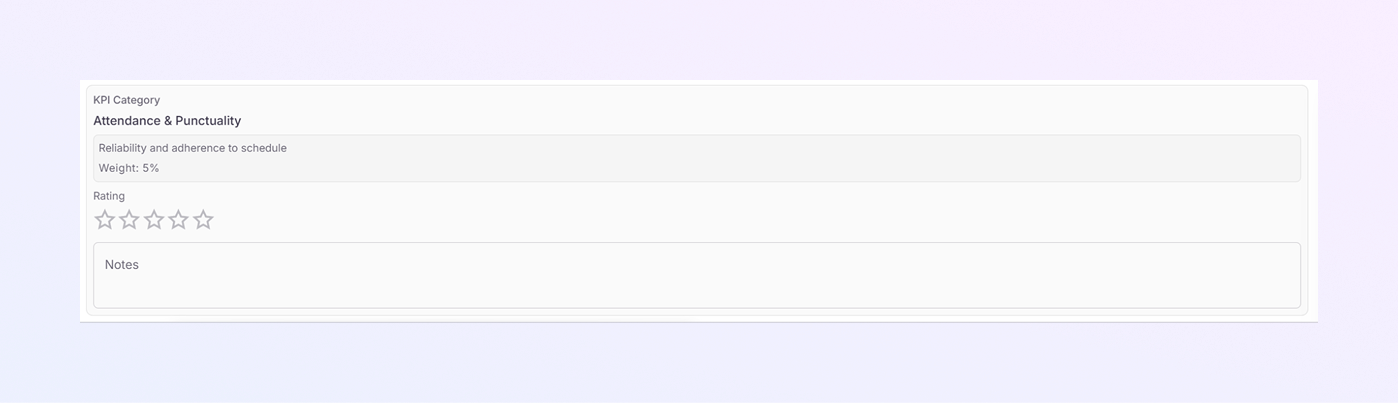
Attendance & Punctuality
This measures:
Punctuality
Regular attendance
Dependability
Employees who complete tasks on time deserve higher ratings.
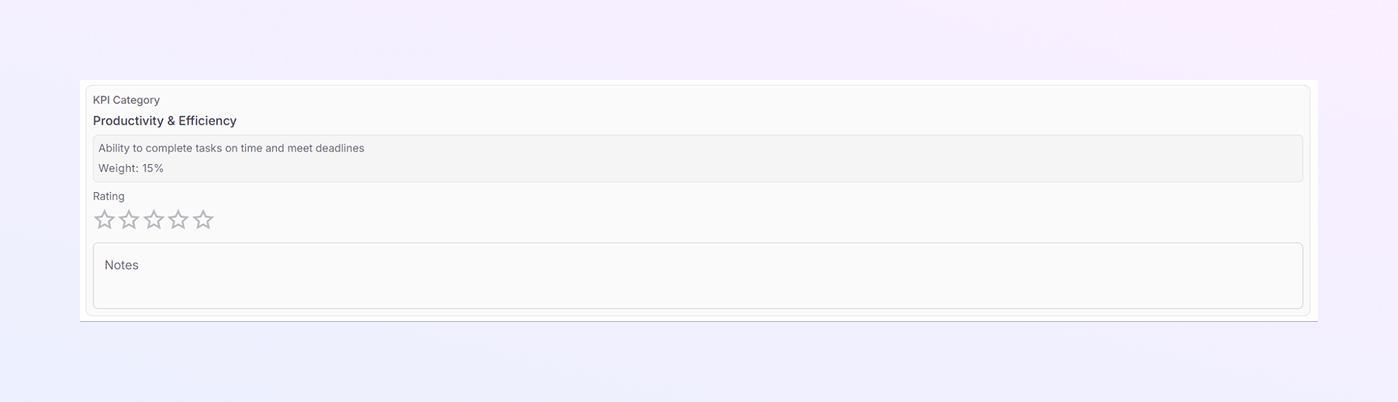
Add comments if improvements or strengths are noticeable.
Employees who take responsibility, show confidence, and proactively contribute to the team deserve higher ratings.
Use notes to describe real examples where possible.
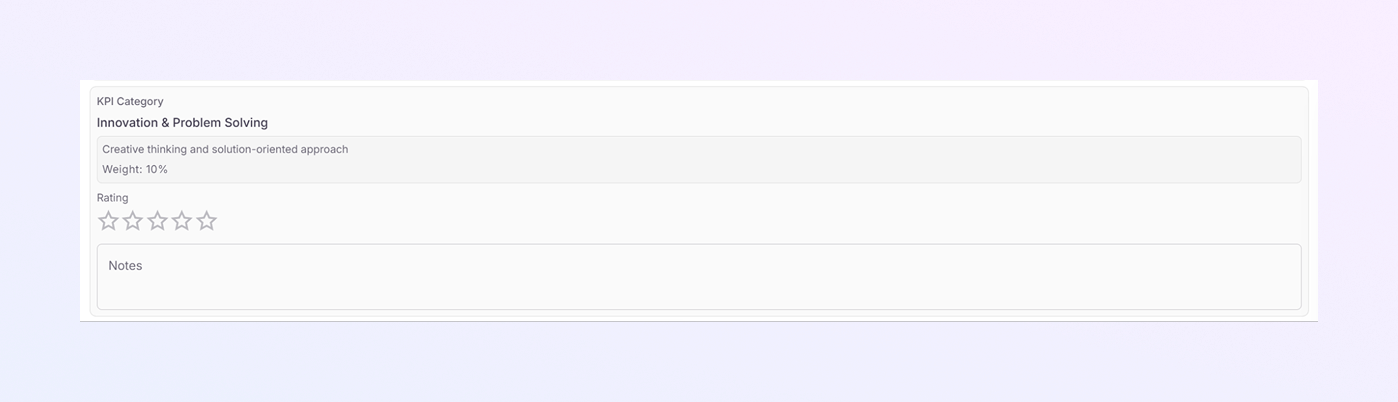
Rate based on how well the employee performs their technical duties.
Overall Review Section
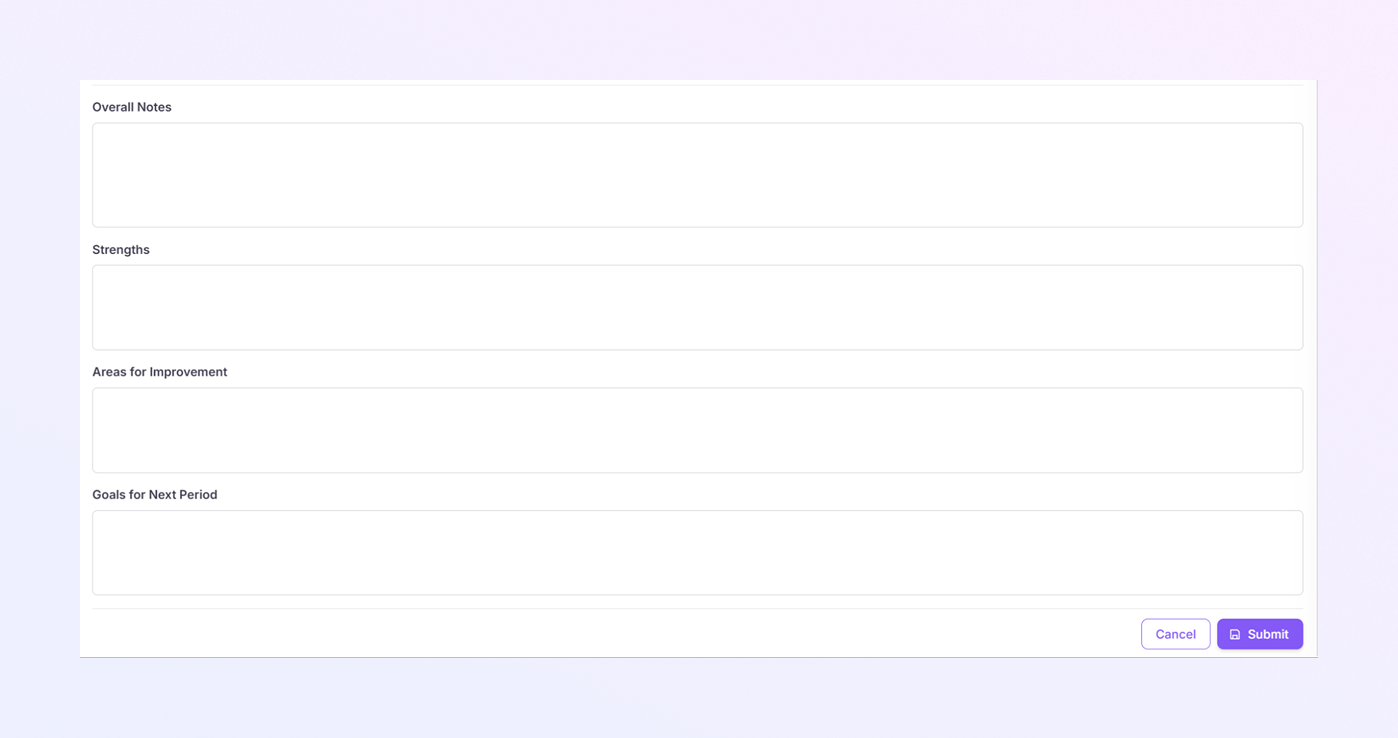
At the bottom of the form, you will see three important text areas:
Overall Notes
Use this section to:
Summarize the employee’s performance
Highlight general behavior and contribution
Write clearly and honestly.
Strengths
Here you should mention:
Key strengths
Areas where the employee performs very well
Positive traits
Example:
Strong teamwork
Good communication
Reliable performance
Areas for Improvement
This section is for:
Skills that need improvement
Training needs
Performance gaps
Keep the feedback constructive and supportive.
Goals for Next Period
Use this to:
Set clear goals
Define expectations
Guide future performance
Example:
Improve time management
Learn a new tool
Increase productivity
Save or Submit the Review
At the bottom-right corner, you will see buttons such as:
Cancel: Discards changes
Submit: Saves the performance review
Once submitted:
The review is stored in the system
The employee status changes from Not Reviewed to Reviewed.
Summary
With the ExactFlow Performance Management module, HR teams can:
Select employees easily
Create structured performance reviews
Rate skills using star ratings
Add meaningful feedback
Track employee growth over time