

ExactFlow Settings Page User Guide
The Settings section helps you configure everything related to your product data structure, such as Inventories, Warehouses, Categories, Manufacturers, Parameters, Tags, and more.
This guide gives a general overview of the Settings page.
-
Log in to your ExactFlow account.
-
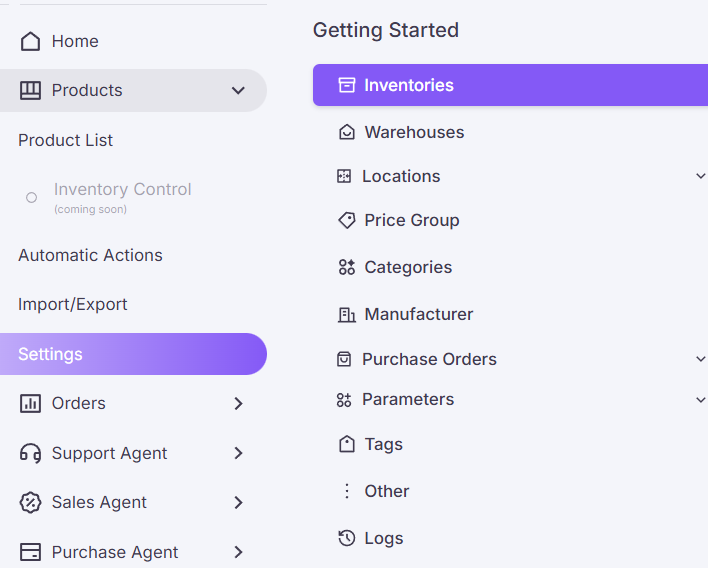
From the left-side menu, click Products.
-
Click Settings (under the Products section).
-
You will now see many options in a vertical list, such as:
-
Inventories: These are a separate list of products.
-
Warehouses: These are physical or logical storage locations where your products live.
-
Locations: Smaller divisions within a warehouse.
-
Price Group: Helps you set different price levels for different customers or sales channels.
-
Categories: Help you organize products into groups.
-
Manufacturer: Useful if your products come from multiple brands.
-
Purchase Orders: Helps you manage your incoming products from suppliers.
-
Parameters: Extra product attributes you want to track.
-
Tags: Help you add quick labels to products for filtering.
-
Other: This section contains optional settings related to advanced product configurations.
-
Logs: Useful for Troubleshooting, Audits, and Understanding system activity.
-
How to Open General Settings
Each option helps you organize and manage your product data.