

ExactFlow Marketplace Orders Page User Guide
The Marketplace Orders page allows you to view and manage all orders from various online marketplaces in one place. This page is mainly used to track order details, prices, fees, payment methods, and shipment information.
How to Open the Marketplace Orders Page
Log in to your Exact Flow account.
From the left sidebar menu, click on Financial Agent.
Click on Marketplace Orders.
You will now see the Marketplace Orders page.
Page Overview
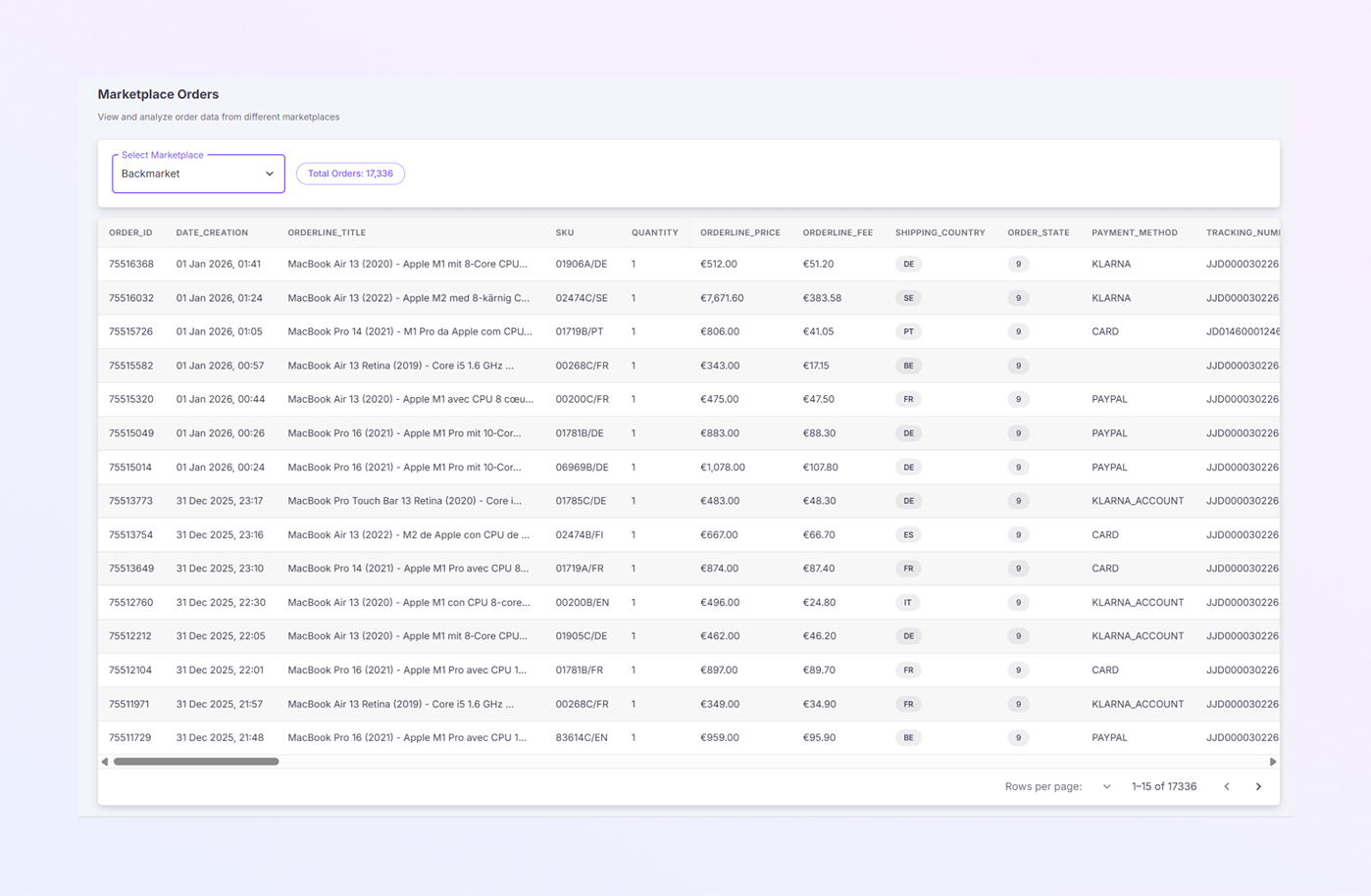
The Marketplace Orders page shows:
A marketplace selection option at the top
Total number of orders
A detailed table with all order information
This page helps finance and operations teams review order data quickly and accurately.
Marketplace Selection
-
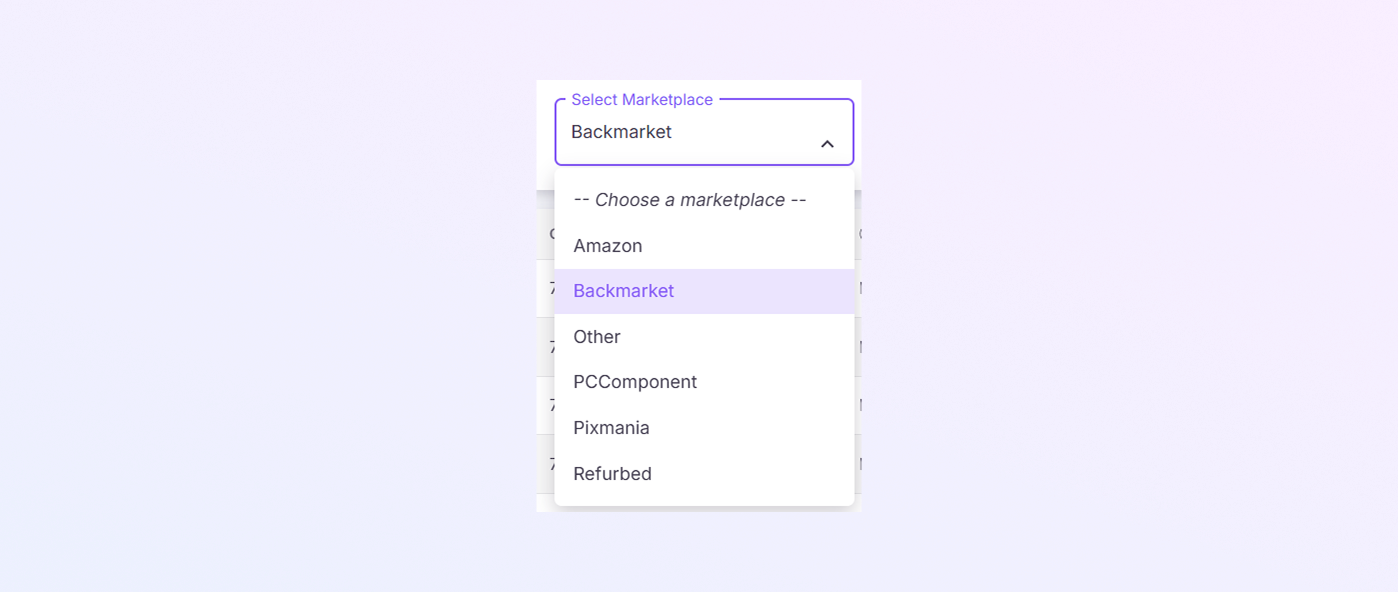
Select Marketplace from the dropdown, located at the top-left of the page.
-
Allows you to choose a specific marketplace.
-
When you select a marketplace, the order list updates automatically.
Total Orders Indicator
-
Shown next to the marketplace dropdown.
-
Displays the total number of orders for the selected marketplace.
-
Helps you understand order volume at a glance.
Orders Table
The main part of the page is a table that lists all marketplace orders. Each row represents one order item.
Order ID: A unique number for each order. Used for tracking and reference.
Date Creation: Shows the date and time when the order was created. Helps track when the order was placed.
Order Line Title: Displays the product name and description. Includes details like model, year, and specifications.
SKU: Stock Keeping Unit for the product. Used internally to identify items in inventory.
Quantity: Shows how many units were ordered. Usually “1” for single-item orders.
Order Line Price: The selling price of the product. Displayed in euros (€).
Order Line Fee: Shows the marketplace fee charged for the order. Helps calculate net profit.
Shipping Country: Displays the destination country code (for example: DE, FR, IT). Useful for tax and logistics tracking.
Order State: Shows the current status of the order. Represented by a numeric value. Used internally to track order progress.
Payment Method: Shows how the customer paid. Examples: (Klarna, PayPal, Card, Klarna Account). This helps with payment reconciliation.
Tracking Number: Displays the shipment tracking number. Used to follow the delivery status of the order.
Shipper: The logistics provider is responsible for delivering the order. Example: DHL, UPS, or marketplace shipping partner.
Backbox Grade: Shows the product condition grade. Commonly used for refurbished products. Example: A, B, C grades.
Bill ID: Unique identifier for the billing or invoice record. Used for accounting and reconciliation.
Billing City: City listed in the customer’s billing address.
Billing Company: Company name used for billing (if provided by the customer).
Billing Country: Country associated with the billing address.
Billing First Name: Customer’s first name used for billing.
Billing Last Name: Customer’s last name used for billing.
Billing Phone: Phone number provided in the billing details.
Billing Postal Code: ZIP or postal code from the billing address.
Billing Street: Primary street address for billing.
Billing Street 2: Additional address details (apartment, floor, unit, etc.).
Brand: Brand name of the product. Example: Apple, Samsung.
Canceled By: Indicates who canceled the order. Example: Customer, Seller, or Marketplace.
Capture Date: Date when the payment was successfully captured.
Category 1: Main product category. Example: Electronics.
Category 2: Sub-category of the product. Example: Laptops.
Category 3: Detailed category level. Example: Refurbished Devices.
Country: Customer’s country of residence.
Currency: Currency used for the order. Example: EUR.
Customer Email: Email address of the customer.
Customer ID Number: Internal or marketplace customer identifier.
Date Modification: The last date when the order was updated or modified.
Date Payment: Date when the payment was completed.
Date Shipping: Date when the order was shipped.
FBBM: Indicates fulfillment type. Used internally for marketplace logistics classification.
IMEI: Unique IMEI number for mobile devices. Used for device identification.
Invoice Email: Email address used for sending invoices.
Listing State: Current status of the product listing. Example: Active, Disabled.
Model: Product model name. Example: MacBook Pro 2021.
Order Price: Total price paid for the order. Includes product cost only.
Order Line ID: Unique identifier for the specific order item.
Order Line Shipper: Shipping provider assigned to the specific order line.
Order Line Shipping Price: Shipping cost charged for that order line.
Order Line State: Current status of the order line. Example: Shipped, Delivered, Returned.
Payment ID: Unique identifier for the payment transaction.
Product ID: Internal product identifier used in the system.
PSP Reference: Payment Service Provider reference number. Used for payment tracking and audits.
Rating: Customer rating or feedback score (if available).
Refunded Bill: Indicates whether the bill has been refunded. Yes or No.
Refunded Date: Date when the refund was processed.
Return Reason: Reason provided for returning the product.
SAV: Indicates after-sales service (Support Après-Vente). Used for service or repair tracking.
SAV Email: Email address related to after-sales support.
Serial Number: Manufacturer serial number of the product.
Shipping City: City where the product is shipped.
Shipping Company: Company name used for shipping.
Shipping Email: Email associated with shipping contact.
Shipping First Name: First name of the shipping recipient.
Shipping Last Name: Last name of the shipping recipient.
Shipping Phone: Phone number of the shipping recipient.
Shipping Postal Code: ZIP or postal code for the delivery address.
Shipping Price: Cost of shipping charged to the customer.
Shipping Street: Main delivery street address.
Shipping Street 2: Additional shipping address details.
Snowden: Internal compliance or data-handling indicator. Used for internal tracking purposes.
Tracking URL: Clickable link to track the shipment online.
Trust Pack Plus: Indicates if additional protection or insurance was applied.
VAT Type: Type of VAT applied to the order. Used for tax reporting.
Warranty Delay: Duration of the product warranty. Shown in days or months.
Tip for Users
You don’t need to use every column daily. Focus on:
Price, fees, and payment fields for finance
Shipping and tracking fields for logistics
Billing and VAT fields for accounting
Summary
The Marketplace Orders page in Exact Flow helps you:
-
View all marketplace orders in one place
-
Track prices, fees, and payments
-
Monitor shipping and order details
-
Support financial and operational reporting
This section shows profit and loss trends over time.