

ExactFlow Sales Chat Page User Guide
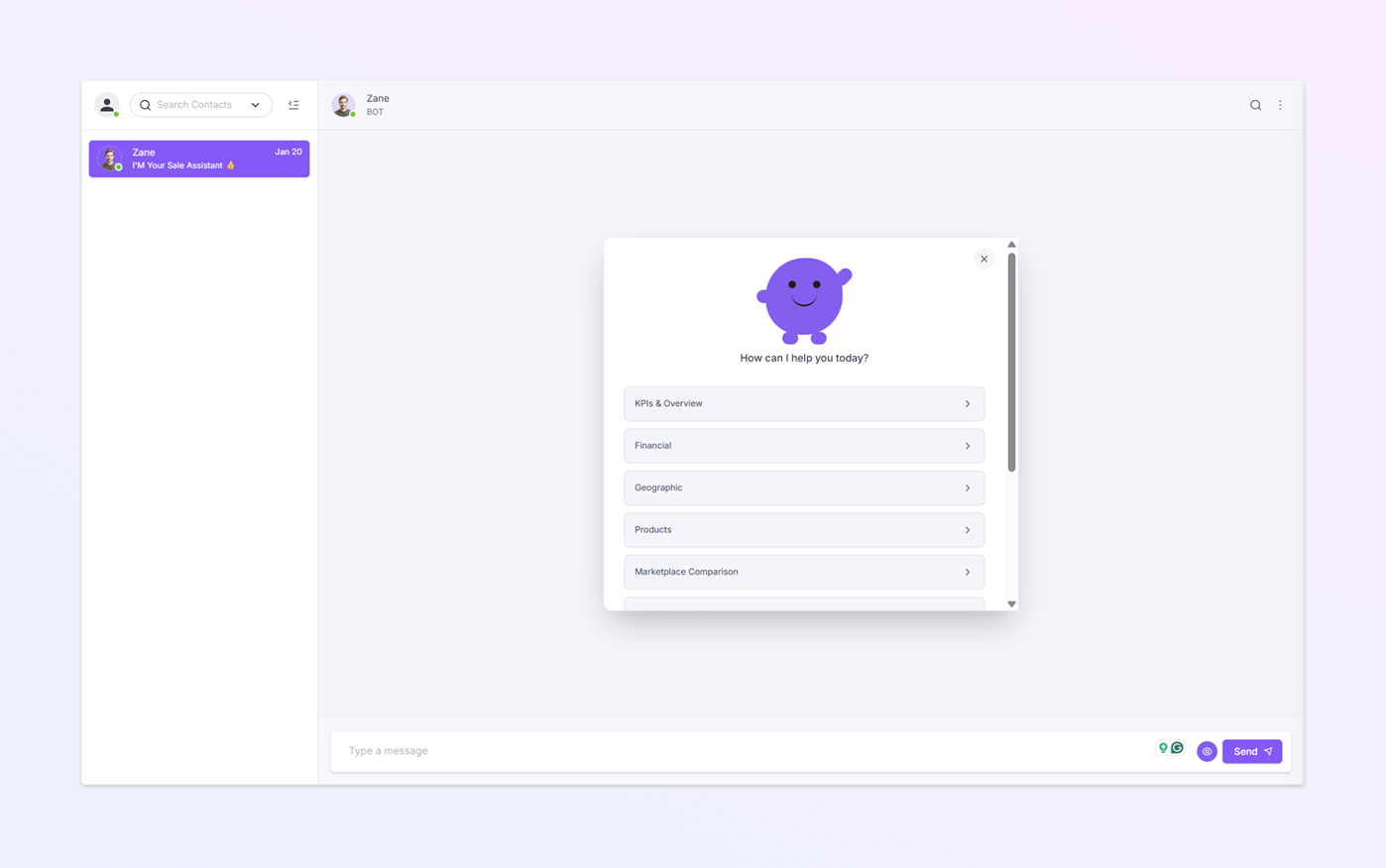
The Sales Agent Chat Page is where sales users interact with the AI Sales Assistant (Zane). This page enables you to quickly review sales data, KPIs, products, financials, and performance using simple chat options.
The AI provides instant insights, while sales teams stay in full control.
How to Open the Sales Agent Chat Page
Log in to your ExactFlow account.
From the left sidebar menu, click Sales Agent.
Click Chat.
You will now see the Sales Agent Chat screen.
Page Overview
The Chat page has two main areas:
-
Chat List Panel
-
Chat & Assistant Area
Chat List Panel
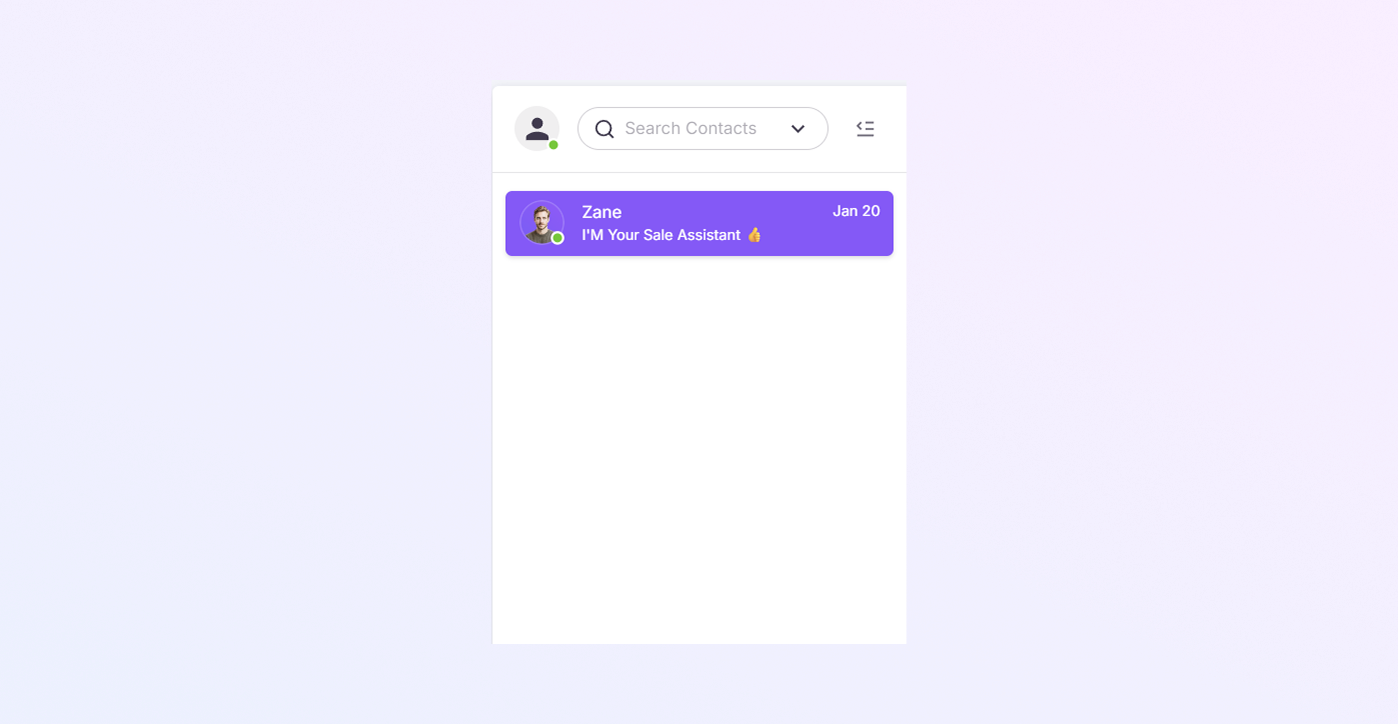
This panel shows all your sales chats.
-
Use the search bar to find a chat.
-
Shows the last activity date.
-
Click on a chat name to open it.
Chat Header
-
At the top of the chat area, you see the Bot name: Zane
-
Icons on the right:
-
Search message icon
-
⋮ More options menu to view contact
-

Chat Conversation Area
The Sales Agent Chat page includes built-in FAQs to help users get answers quickly without typing.
How FAQs Work
-
When the chat opens, the AI Sales Assistant (Zane) displays common questions as clickable options.
-
These options appear as buttons inside the chat box.
-
Click any option to continue.
-
Based on your selection, more related questions appear.
-
Select the option that matches your query to get an instant response from Zane.
Examples of FAQ Options
You may see options like:
-
KPIs & Overview
-
Financial
-
Geographic
-
Products
-
Marketplace Comparison
-
Operational Quality
-
Time Windows
-
Slices & Filters
Sending a Message in the Chat Box
You can also send your own message to the AI Sales Assistant.
-
Click inside the Type a message box.
-
Write your question or request.
-
Click the Send button OR press Enter on your keyboard.
Your message will be sent to Zane instantly.
Example Messages You Can Send
You can type simple messages like:
-
Show today’s sales performance
-
Give me product-wise sales data
-
Compare Amazon and Flipkart sales
-
Show revenue for the last 7 days
-
Filter data by region
-
Show low-performing products
Zane will analyze the request and reply automatically.